How to Create a Strong Password? Rules, Examples and Tips
Your email, your bank account, your Facebook and your WhatsApp all depend on one thing: your password. If someone guesses it, they can read your messages, steal your money and lock you out of your own accounts. In Pakistan, where many people use the same simple password everywhere — often a name and a birth year — account theft is common, and it usually starts with a weak password.
This guide explains what makes a password strong, how hackers actually guess passwords, and how to create and remember strong passwords step by step. It also explains password managers, two-factor authentication, and what to do if your password is stolen. The free Password Generator on this site creates a strong random password in one click, with no signup and no login.
What Is the Password Generator?
A strong password is long, random and unique. Long means at least 12 characters, and longer is better: every extra character makes guessing exponentially harder. Random means it is not a word, a name or a date that someone can guess. Unique means you do not use the same password on two websites, because if one website is hacked, the thief can then open all your other accounts with the same password.
Hackers do not guess passwords by hand. They use programs that try millions of combinations in seconds, and they start with the most common passwords, such as 123456, password, and names with birth years. A password such as Ali12345 can be guessed in seconds, while a random password of 16 characters with letters, numbers and symbols would take centuries to guess. Length matters more than complexity: a long phrase of random words is stronger than a short password with symbols.
How Password Strength Works
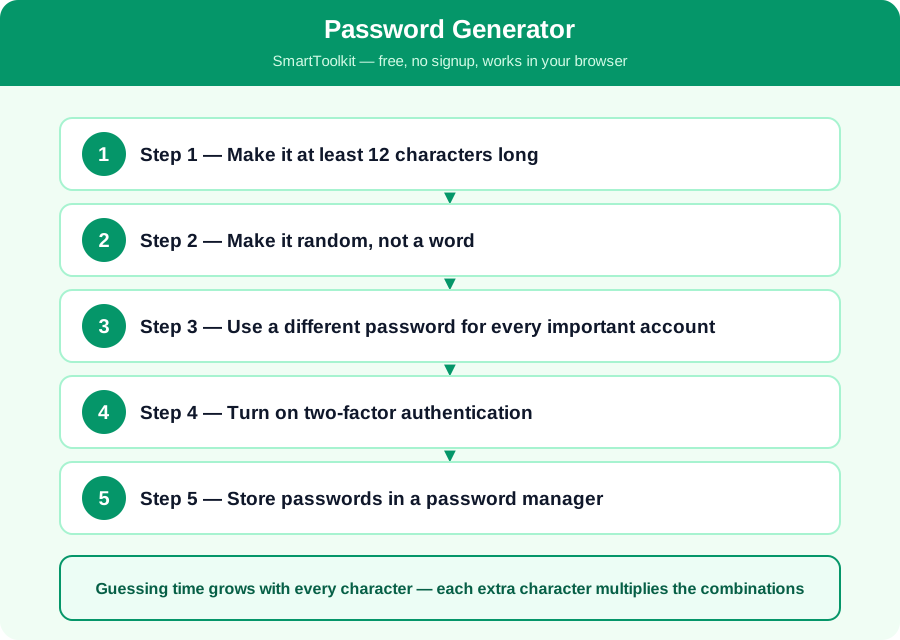
Guessing time grows with every character — each extra character multiplies the combinations
If a password uses 26 small letters, each character has 26 possibilities, so a 6-letter password has about 300 million combinations, which a fast computer can try in seconds. Add capital letters, numbers and symbols, and the possibilities per character rise to about 90, so a 12-character password has more combinations than there are grains of sand on Earth. That is why a long random password is safe, and a short familiar one is not, even if it has a symbol in it.
Changing your password every month does not help if the new password is also weak, and it often makes people choose simpler passwords they can remember. Security experts now say it is better to have one long strong password per account and to change it only if you think it has been stolen, rather than changing weak passwords on a schedule.
How to Use the Password Generator — Step by Step
Follow these five steps one by one. Each step builds on the last one, so do them in order and check your answer at the end.
Step 1 — Make it at least 12 characters long
Choose a password of 12 characters or more, and 16 is better. A short password can be guessed by a computer in minutes, no matter how clever it looks. Length is the single most important factor, so start with length and then add variety.
Step 2 — Make it random, not a word
Do not use your name, your child's name, your birth year, your phone number or a dictionary word. Use random letters, numbers and symbols, or four random words that have nothing to do with each other, such as correct horse battery staple. Randomness is what stops a guessing program.
Step 3 — Use a different password for every important account
Your email password must be different from your bank password, and both must be different from your Facebook password. If one website is hacked, the thief will try the same password on your email and your bank, so a shared password puts everything at risk at once.
Step 4 — Turn on two-factor authentication
Turn on two-factor authentication on your email, your bank and your social media. Then even if someone learns your password, they still need a code from your phone to get in. It takes two minutes to set up and it stops most account theft, so do it today, starting with your email.
Step 5 — Store passwords in a password manager
Write your passwords in a password manager, such as the one built into your phone or browser, instead of in a notebook or a chat message. A manager remembers them for you and fills them in, so you only need to remember one strong master password. Check your new password with the free Password Generator on this site.
Worked Example
Ali uses Ali12345 for his email, his Facebook and his bank. A hacker who finds it on one hacked website can open all three accounts in minutes. He changes to a password manager and generates a new random password for each account, such as k9#mQ2$vL8xR4wT for his email, which is 16 random characters. His bank account gets a different random password, and he turns on two-factor authentication for his email. Now even if one password is stolen, the thief cannot open his other accounts, and cannot get into his email without the code on his phone.
Common Mistakes to Avoid
Mistake: Using the same password everywhere. One stolen password then opens every account, so always use a different password for your email, your bank and your social media.
Mistake: Using personal details in a password. Your name, birth year, phone number and children's names are the first things a hacker tries, and they are easy to find on social media.
Mistake: Sharing passwords in chats or notes. A password sent in a WhatsApp message or written on paper can be seen by anyone, so keep passwords in a password manager instead.
Mistake: Ignoring two-factor authentication. A strong password alone is not enough if a website is hacked, but two-factor authentication stops most thieves even when they know the password.
Frequently Asked Questions
How long should a password be? At least 12 characters, and 16 is better. Every extra character makes guessing much harder, so a long password is more important than a clever one with symbols.
Is it safe to use a password generator? Yes, if it runs in your browser and does not save the password anywhere. The generator on this site creates the password on your device and never sends it to a server, so it is safe to use.
What should I do if my password was stolen? Change it at once, starting with your email, because the email can reset all your other accounts. Then turn on two-factor authentication, check your bank account, and change any other account that used the same password.
Should I change my passwords regularly? Only if you think one was stolen, or if the website tells you to. Changing strong passwords on a schedule usually makes people choose weaker ones, so focus on making each password long, random and unique.
Why Use SmartToolkit for This?
You now know what makes a password strong, how hackers guess them, and how to protect every account with a unique password and two-factor authentication. Start with your email today, because it is the key to all your other accounts. Use the free Password Generator on this site to create your new passwords — it works in your browser, needs no signup and no login, and your passwords never leave your device.
Use the Password Generator — free, no signup, no login, and your data never leaves your browser.