How to Count Characters? Words, Lines and Spaces
Many places limit how much you can write: a tweet allows 280 characters, an SMS is usually 160 characters, an Instagram bio is 150 characters, and a Google search description is about 155 to 160 characters. Exam answers, job applications and university forms often ask for a fixed number of words. Counting all of this by hand is slow and unreliable, so a character counter does it instantly and exactly.
This guide explains what a character counter actually counts, why the numbers differ, and how to stay inside a limit step by step. It covers characters with and without spaces, words and lines, and the tricks for cutting your text down without losing your meaning. The free Character Counter on this site does the counting in seconds, with no signup and no login.
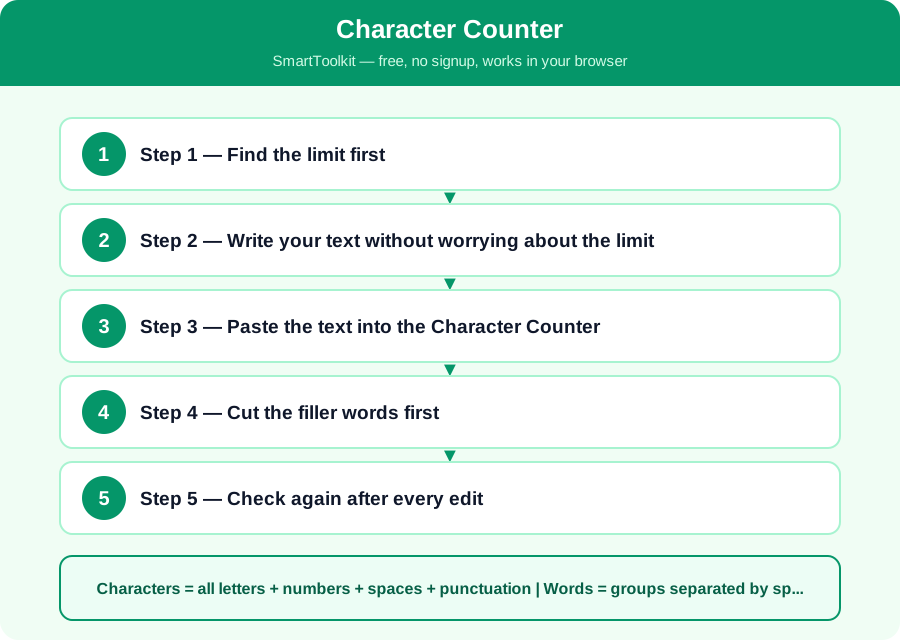
What Is the Character Counter?
A character counter gives you several numbers from the same text. Characters counts every letter, number, space and punctuation mark. Characters without spaces counts only the letters, numbers and punctuation. Words counts groups of letters separated by spaces. Lines counts the rows when you press Enter. These numbers are different for the same text: Hello world is 11 characters, 10 without the space, and 2 words.
Always check which number the form is asking for, because mixing them up is the most common mistake. A form that says 500 characters means 500 letters and spaces together, while a form that says 500 characters excluding spaces means you can write about 600 characters in total. A form that says 100 words means about 600 characters, because an average English word is about 5 letters plus a space.
How Counting Works
Characters = all letters + numbers + spaces + punctuation | Words = groups separated by spaces
Counting is simple in principle, but the details matter. A space counts as a character, a line break usually counts as one or two characters, and an emoji can count as two characters in some systems. The counter on this site counts every character you type, including spaces, and it counts words by splitting the text at spaces and line breaks. If your text has double spaces, the counter treats the extra space as a character but not as a word.
Different websites count slightly differently, so a tweet, an SMS and a form may give different numbers for the same text. Twitter counts some characters, such as links, as a fixed number, and some systems count an emoji as two characters. Always check your text in the counter and then check it in the place where you will post it, because the final system is the one that matters.
How to Use the Character Counter — Step by Step
Follow these five steps one by one. Each step builds on the last one, so do them in order and check your answer at the end.
Step 1 — Find the limit first
Read the form or the website to find the exact limit and what it counts: characters, characters without spaces, or words. Write the limit down, for example 150 characters for a bio, or 500 words for an essay. If the limit is not written, look for a counter on the form itself, which usually shows how many characters are left.
Step 2 — Write your text without worrying about the limit
Write your first draft freely, and say what you need to say. Do not count while you write, because it slows you down and makes the writing worse. It is easier to cut a long draft down than to stretch a short one, so write more than you need and then cut it.
Step 3 — Paste the text into the Character Counter
Copy your draft and paste it into the free Character Counter on this site. It shows you the characters, the characters without spaces, the words and the lines at once, so you can see exactly how far over the limit you are, and which number is the problem.
Step 4 — Cut the filler words first
If you are over the limit, cut filler words first: in order to becomes to, due to the fact that becomes because, and repeated words can go. Shorten long sentences into short ones, and remove examples that are not essential. Put the most important words first, because the reader may never see the end.
Step 5 — Check again after every edit
Paste the edited text into the counter again and check the numbers. One extra word can push you over, and one cut can bring you back under, so check after every change. When the numbers are inside the limit, read the text once more to make sure it still makes sense, and then post it.
Worked Example
The sentence Pakistan is a beautiful country has 33 characters, 28 without spaces, and 5 words. A tweet of 280 characters is about 40 to 50 words. A 500-word essay is about 3,000 characters, or roughly one page of typed text. A 160-character SMS is about 25 words. An Instagram bio of 150 characters is about 25 words, so you must choose your words carefully. If a form asks for 100 words, write about 600 characters, and check the exact count in the counter before you submit it.
Common Mistakes to Avoid
Mistake: Counting words when the limit is characters. A 100-word limit and a 100-character limit are very different — 100 words is about 600 characters, so mixing them up makes your text far too long or far too short.
Mistake: Forgetting that spaces count. A space is a character, so a text with many short words has more characters than the same number of words in long words. Always check the characters number, not just the words.
Mistake: Trusting a rough guess. People usually guess their text is shorter than it really is, so always paste it into a counter instead of guessing, especially for a form that will reject a long answer.
Mistake: Cutting the wrong words. When you cut to fit a limit, cut filler words and examples, not the main point. A short text that says nothing is worse than a long text that is clear.
Frequently Asked Questions
Do spaces count as characters? Yes, unless the limit says excluding spaces. A space is a character like any other, so Hello world is 11 characters, not 10. If the limit says excluding spaces, use the without spaces number in the counter.
Do line breaks count? Usually yes, each new line counts as one or two characters, depending on the system. If your text has many short lines, the line breaks can add up, so check the count after you format the text.
What is the difference between characters and words? Characters are single letters, numbers, spaces and symbols. Words are groups of characters separated by spaces. The same text can be 100 characters and 20 words, so always check which number the form asks for.
How many words is 1,000 characters? About 150 to 170 words in normal English or Roman Urdu, because an average word is about 5 letters plus a space. For an exact answer, paste your text into the counter, because short words and long words change the ratio.
Why Use SmartToolkit for This?
You now know what a character counter counts, how to stay inside a limit, and how to cut your text without losing its meaning. The habit is simple: find the limit first, write freely, count, and then cut the filler. Use the free Character Counter on this site whenever you write a bio, a tweet or a form answer — it works in your browser, needs no signup and no login, and your text never leaves your device.
Use the Character Counter — free, no signup, no login, and your data never leaves your browser.