How to Count Words? Word Count Rules, Examples and Tips
Word limits are everywhere in student life. An essay asks for 500 words, a university application asks for 250 words, and a job cover letter should be about 300 words. Too few words and your answer looks thin. Too many words and the marker stops reading, or the form rejects your answer. Knowing your exact word count before you submit is the simplest way to avoid both problems.
This guide explains how words are counted, how many words you need for different jobs, and how to reach a word limit without padding your writing with useless sentences. It also explains reading time and character counts, so you can judge any piece of writing at a glance. The free Word Counter on this site gives you the exact count in seconds, with no signup and no login.
What Is the Word Counter?
A word is a group of letters, numbers or symbols separated by spaces. The sentence Pakistan is a beautiful country has 5 words. A hyphenated word such as well-known is usually counted as one word, while a number such as 2026 is also counted as one word. A word counter splits your text at every space and line break and counts the pieces, which is the same method that Microsoft Word and Google Docs use.
Word counts matter because they are a fair way to compare writing. A marker can compare a 500-word essay from one student with a 500-word essay from another, even if one writes long sentences and the other writes short ones. A form can set a word limit and know that every applicant had the same space. That is why schools, universities and employers use word limits instead of page limits, which depend on font size and margins.
Words, Characters and Reading Time
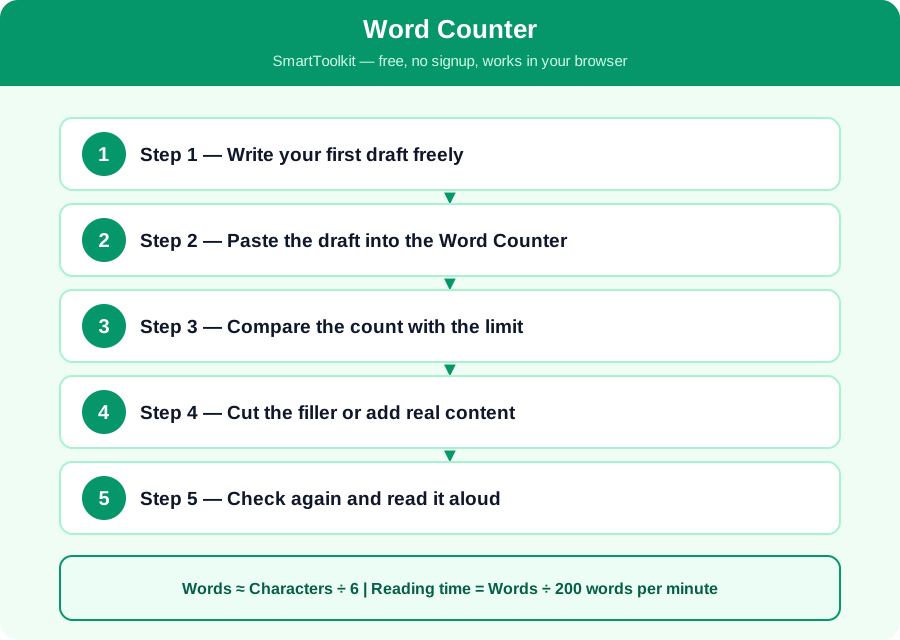
Words ≈ Characters ÷ 6 | Reading time = Words ÷ 200 words per minute
An average English word is about 5 letters plus a space, so 6 characters is roughly one word. That means 3,000 characters is about 500 words, and 1,000 words is about 6,000 characters. Most adults read about 200 words per minute, so a 500-word essay takes about two and a half minutes to read, and a 1,000-word article takes about five minutes. These are estimates — the exact count always comes from the counter.
Different counters can give slightly different numbers, because they treat hyphenated words, numbers and contractions differently. Microsoft Word, Google Docs and our counter usually agree within one or two words, but if a form has its own counter, trust the form's number, because that is the one that decides whether your answer is accepted.
How to Use the Word Counter — Step by Step
Follow these five steps one by one. Each step builds on the last one, so do them in order and check your answer at the end.
Step 1 — Write your first draft freely
Write what you need to say without counting. Do not stop after every sentence to check the count, because it breaks your thinking and makes the writing worse. Aim to write a little more than the limit, because it is easier to cut than to add good content at the end.
Step 2 — Paste the draft into the Word Counter
Copy your draft and paste it into the free Word Counter on this site. It shows you the words, the characters, the characters without spaces, and the reading time at once, so you can see exactly where you stand against the limit.
Step 3 — Compare the count with the limit
If the limit is 500 words and you have 620, you need to cut about 120 words, which is roughly a quarter of your text. If you have 420 words, you need to add about 80 words, which is roughly one more paragraph. Knowing the gap tells you how much work is left.
Step 4 — Cut the filler or add real content
To cut, remove repeated ideas, filler phrases and examples that do not add anything. To add words, add an example, a reason or a detail, not empty sentences. A marker can tell padding from real content, so only add words that make the answer better.
Step 5 — Check again and read it aloud
Paste the edited text into the counter again and check the final count. Then read the whole piece aloud once: if it sounds natural and the argument is complete, it is ready. If a sentence sounds padded or rushed, fix it before you submit.
Worked Example
A student must write a 500-word essay and her first draft is 380 words. She needs about 120 more words, which is roughly one paragraph of 5 or 6 sentences. She adds a real example from her own school and a short conclusion, and the count becomes 495 words, which is inside the limit. Another student writes 650 words for the same limit and must cut 150 words. He removes two repeated sentences, shortens three long sentences, and takes out one weak example, and the count falls to 505 words. Both students used the counter after every edit, so neither was surprised at the end.
Common Mistakes to Avoid
Mistake: Padding with empty sentences. Markers can tell when words are added just to reach the limit, and padding makes the whole essay weaker, so add examples and reasons instead.
Mistake: Counting pages instead of words. A page can hold 250 words or 500 words depending on the font and spacing, so only the word count tells you whether you are inside the limit.
Mistake: Trusting a rough guess. People usually guess their text is shorter than it really is, so always paste it into a counter instead of estimating from the number of lines.
Mistake: Cutting the conclusion to save words. The conclusion is the most important paragraph for the marker, so cut examples and filler first, and keep the conclusion whole.
Frequently Asked Questions
How many words is one page? About 250 to 300 words for double-spaced typing, and about 500 words for single-spaced typing, with a normal font size. The exact number depends on the font and the margins, so always use the word count, not the page count.
How long does it take to write 500 words? Most students write 500 words in 30 to 60 minutes, including planning and checking. A first draft takes about 20 minutes, and editing takes another 20 minutes, so start early and do not leave it to the last hour.
Does the title count as words? It depends on the form. Microsoft Word counts the title if it is in the document, and some forms count it too. If you are close to the limit, check whether the form counts the title, and leave a few words spare to be safe.
How many words should a cover letter be? About 250 to 400 words, or three short paragraphs: why you want the job, why you are a good fit, and a polite closing. A cover letter longer than one page is rarely read to the end.
Why Use SmartToolkit for This?
You now know how words are counted, how many you need for different jobs, and how to reach a limit without padding. The habit is simple: write freely, count, and then cut or add real content. Use the free Word Counter on this site for every essay and application — it works in your browser, needs no signup and no login, and your writing never leaves your device.
Use the Word Counter — free, no signup, no login, and your data never leaves your browser.